Signals Debug
Signals Debug
Signals Debug helps you troubleshoot your strategy by providing detailed information about the Strategy Execution.
It is useful for identifying and analyzing execution-related issues such as:
-
Missing trade executions
-
Incorrect or unexpected entries
-
Technical or Execution related errors
To Investigate the Issue, you have to share the following information to Support Team
1. Strategy Debug : Copy and share strategy debug details.
2. Time stamp : Strategy Signals Time with Indicator reference screen shot.\
1. Strategy Debug:
Navigation Flow:
Signal → Signal Dashboard → Indicator → Forward Test / AlgoTrade → Click on Strategy → More → Debug (clicking on it will copy the details)
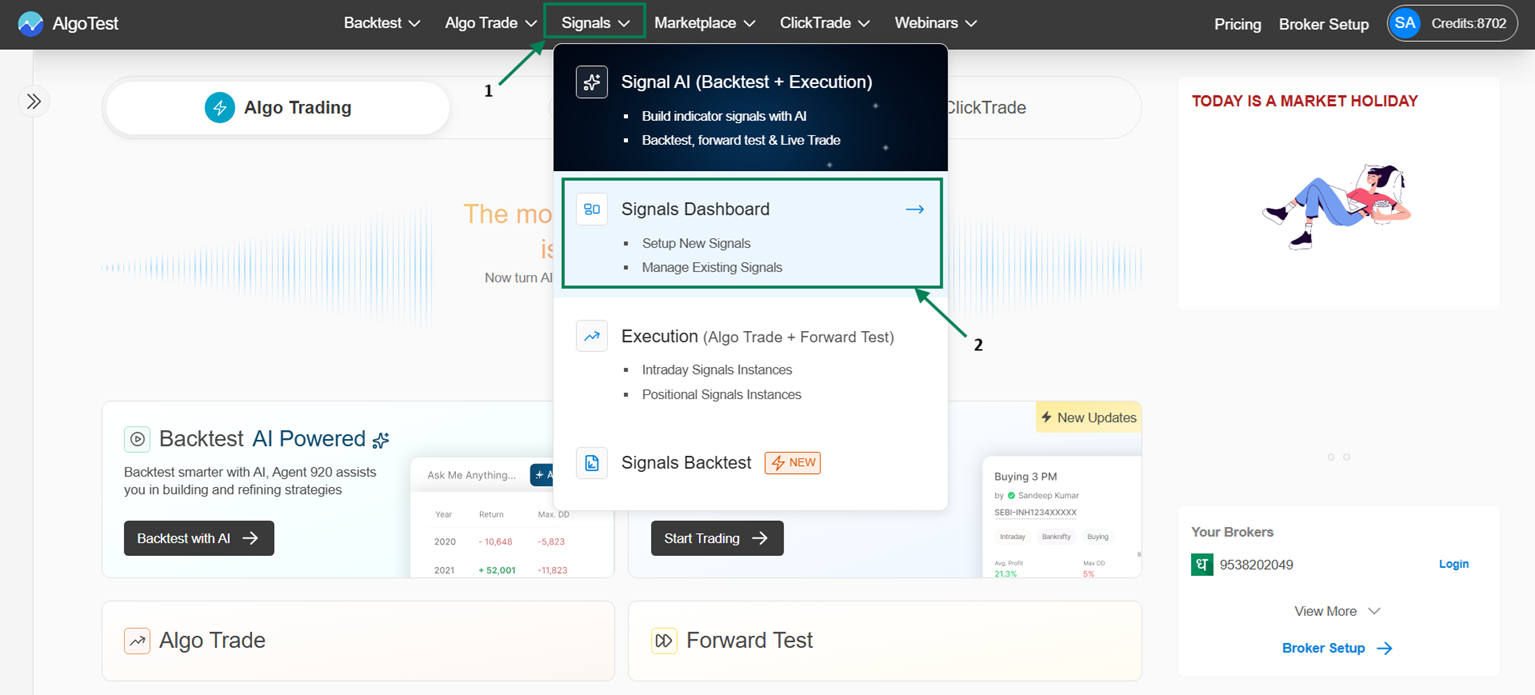
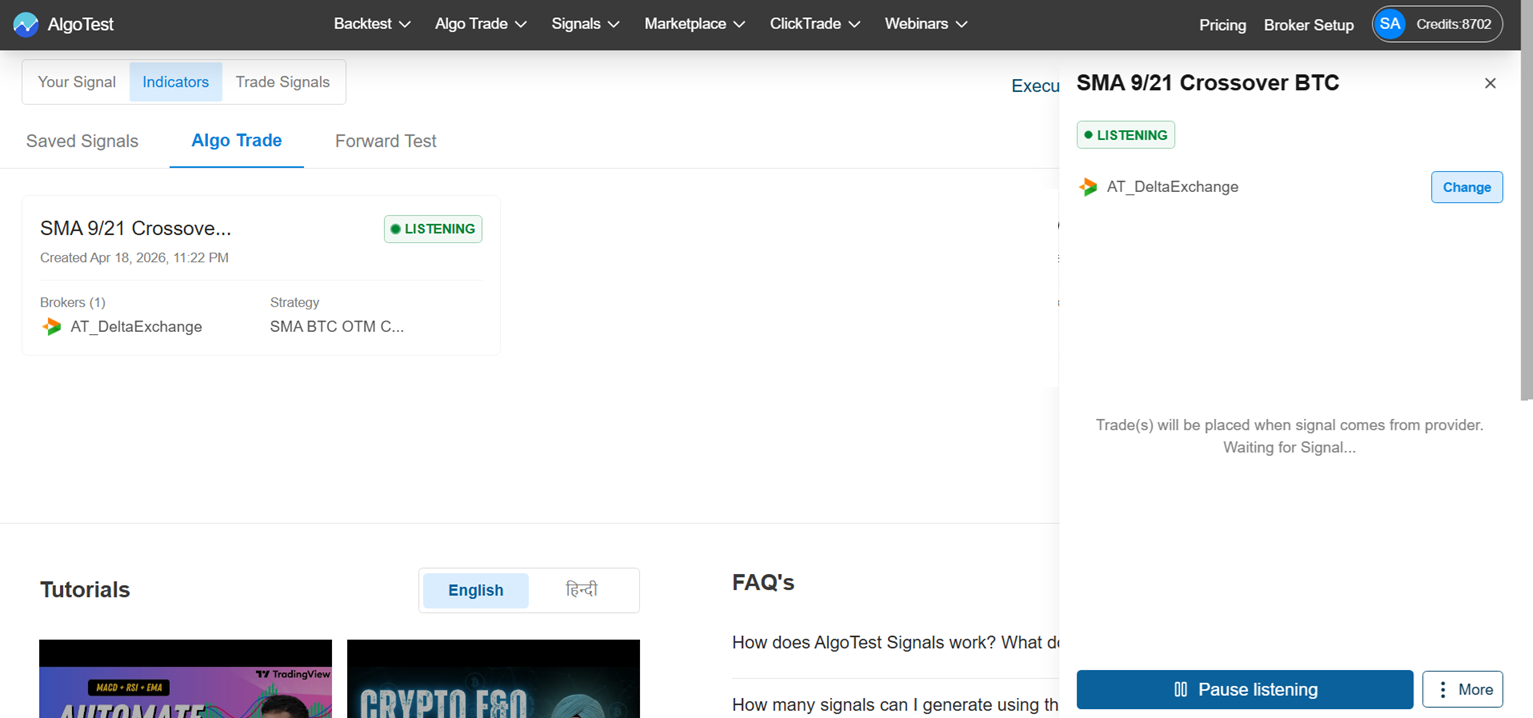
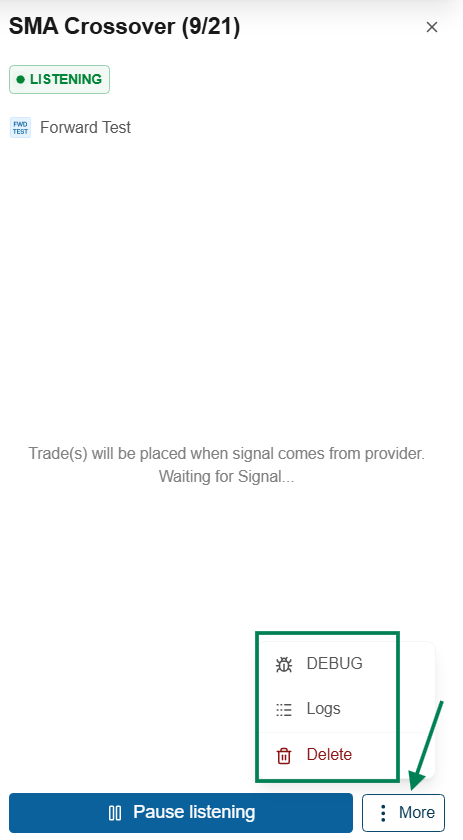
Process: Whenever you face any strategy execution-related issues, copy the Debug message and share it with the AlgoTest Signal Support Team: https://t.me/algotest_signals
Use Debug to track strategy logic and quickly identify the root cause of issues.
Back Test V/s Live v/s Forward test not matching, why not matching with TV: Link
\